You can download YouTube videos to watch later. Here’s an easy way to download YouTube videos for free.
These days, almost everyone is on YouTube. Yes, YouTube has become a popular source of entertainment and information for many. So, how do you download YouTube videos to your phone’s gallery?
It’s not uncommon for someone to want to save their favorite YouTube videos to their phone gallery so they can watch them again.
YouTube has an option to download videos to watch later, but you can’t download YouTube videos to your phone’s gallery.
So, here we share some methods to download YouTube Videos, Music & Shorts on your Phone Storage on Android & iOS Devices.
Best Way to Download YouTube Videos to Your Phone Storage
1. Download YouTube Videos via SaveFrom.net
SaveFrom.net is a website that lets you download YouTube videos without installing any software. Here’s how to easily download them.
- Open the YouTube app and copy the link of the video you want to download.
- Open the browser on your phone and visit the site savefrom.net.
- Paste the video link into the field provided.
- Select the video quality and tap “Download”.
- The video will be saved on your device.
2. Download YouTube Music on Phones Using Y2MP3
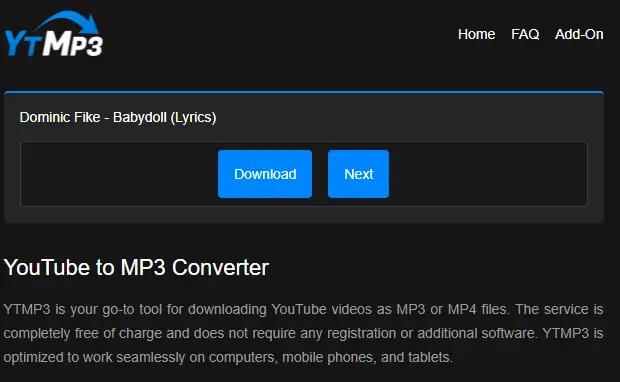
Y2MP3 is another alternative for downloading YouTube videos through your browser. Here’s how.
- Open the YouTube app and copy the link of the video you want to download.
- Open the browser on your phone and visit the site yt2mp3.sc
- Paste the video link into the field provided.
- Select the desired format and quality, then tap “Download”.
- The Music will start downloading and be saved on your device.
3. Using the Documents: File Manager & Docs App on iOS
For iPhone users, you can use the “Documents by Readdle” app to download videos from YouTube. Here are the easy steps:
- Download and install the “Documents by Readdle” app from the App Store.
- Open the app and tap the web icon (compass icon) at the bottom right of the screen.
- Type “savefrom.net” in the URL bar and open the site.
- Follow similar steps as described in the “SaveFrom.net” method above to download the video.
4. Using y2mate
In addition to SaveFrom.net, you can use other sites to download YouTube videos directly to your phone’s gallery. One such website is “y2mate,” which makes it easy to download videos from YouTube.
- Copy the URL of the YouTube video you want to download.
- Open the browser on your phone and visit the site “y2mate”.
- Paste the video URL into the box on the “y2mate” site and tap the “Start” button.
- You’ll be given a choice of video formats and qualities. Select the desired option and tap the “Download” button.
- Just wait, the video from YouTube will be saved to your cellphone gallery.
4. Using Vidpaw
Another way to download YouTube videos is by using the Vidpaw site. Simply paste the copied video link into the download field.
Besides downloading videos, you can also directly download the audio format, so you don’t have to bother converting videos to audio.
It turns out it’s really easy to download YouTube videos to your phone’s gallery. Before using the methods above, remember to download YouTube videos that don’t violate YouTube’s terms of service.
Make sure you have permission or rights to download the video or use content that is available for legal download.