Auto-Reply in GB WhatsApp APK is one of the most efficient features for users who want to stay responsive without constantly holding their phone. WhatsApp Auto Reply from Android is 100% WORKING and hassle-free – WhatsApp is now one of the world’s number one chat and messaging apps.
Do you often lose customers due to a buildup of chats outside of business hours or during busy times? It’s time to take advantage of the auto-reply feature, which can automatically reply to customer messages when you’re unavailable.
Unlike the regular WhatsApp app, GB WhatsApp gives you full control over when and how auto-replies are sent, making conversations smoother and more efficient for busy people.
GB WhatsApp is a third-party application that uses a bot to automatically respond to chats based on keywords stored in a database. In other words, this application can respond to messages based on keywords in the database.
This feature automatically sends messages when you’re unavailable, offline, or too busy to reply. Whether you’re driving, in class, or running errands, Auto Reply helps you stay professional and connected.
With This Feature, You Can:
- Create custom replies for each contact.
- Add emojis, stickers, or short links.
- Schedule replies based on time or keywords.
- Use message triggers like “Hello,” “Busy,” or “Can’t talk right now.”
- Many freelancers and small business owners now rely on it to answer customer questions 24/7 without the need for a separate chatbot.
How to Enable Auto Reply on GB WhatsApp
Enabling this feature is very easy and takes less than a minute:
- Open GB WhatsApp.
- Tap the Menu icon (⋮) in the top right corner.
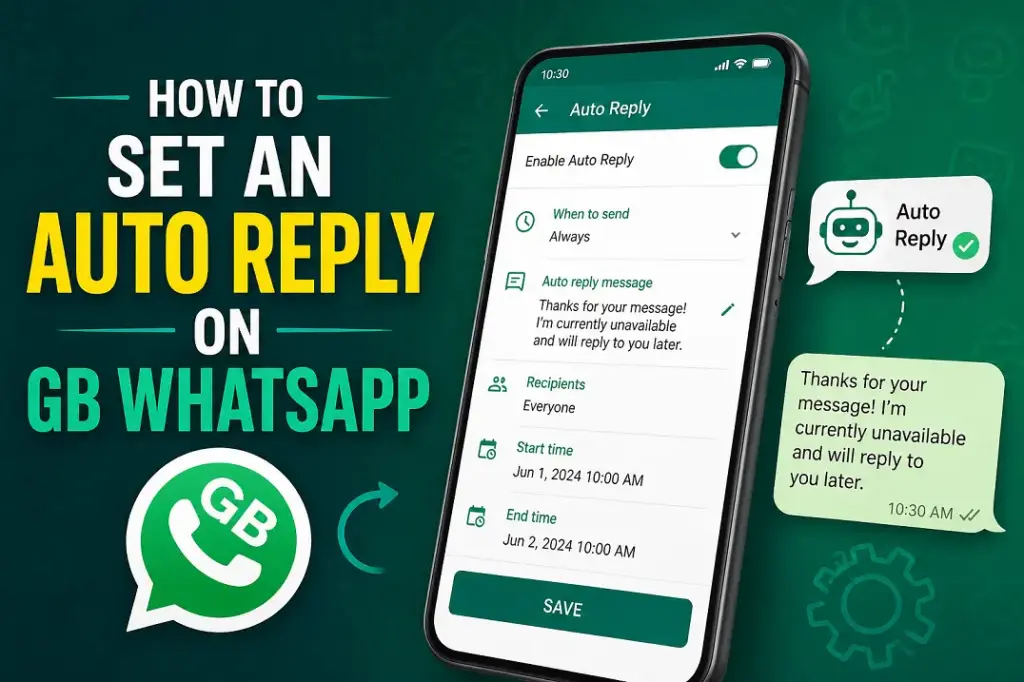
- On the Settings → Auto Reply Message.
- Enable the Enable Auto Reply option.
- Type your message and choose a setting — such as “Reply to all,” “Specific contacts,” or “Groups only.”
- Save the settings, and you’re done.
- Now your GB WhatsApp will automatically reply when you are unavailable, making your chats look professional and always active.
Also Read: 10 Best Free Wallpaper Apps for Android
Benefits of Auto Reply on GB WhatsApp
The auto-reply feature is crucial for WhatsApp. Here are some reasons why it’s so important:
1. Don’t make customers wait long
The first reason is that you won’t keep customers waiting long, as the auto-reply feature can respond to chats instantly.
2. Avoid Slow Responses That Drive Customers Away
If you use the auto-reply feature, you can prevent customers from leaving due to delayed responses. With this feature, there is no risk of losing customers because of slow replies.
3. Help CS/Sales Filter Incoming Chats
Auto-replies can simplify customer service’s role by filtering incoming chats, answering common questions, providing menu options, and prioritizing urgent chats.
4. Support 24/7
Even if the system is set to sleep mode, this feature will remain active to respond to customer chats and messages. Therefore, you don’t need to worry about customers not receiving replies outside of operating hours.
If you like the Auto-Reply feature, also try GB WhatsApp’s Message Scheduler, which lets you schedule messages to be sent automatically whenever you want. These two features can make your app work like a personal assistant.
Conclusion
Auto Reply on GB WhatsApp isn’t just a handy feature—it’s a digital assistant that helps you stay connected at all times. Whether you’re a student organizing a study group or a small business owner with a large number of daily messages, this feature ensures your communication remains smooth, intelligent, and timely.